Getting Started
Install
macOS app (recommended for macOS)
Download the native menu bar app for auto-sync, visual browsing, and one-click push — all from your menu bar.
- Open the DMG and drag RockstarNinja to your Applications folder
- Launch from Applications
See the macOS App docs for details.
CLI (all platforms)
Download and install the rn CLI:
curl -fsSL https://rockstar.ninja/install.sh | sh
This installs the rn binary to ~/.local/bin. Make sure that directory is in your PATH.
Create your config
rn init
This creates ~/.rn/config.toml with sensible defaults. You can edit it later to change your default privacy level, expiration, and redaction rules.
Set a username (optional)
rn account username set myname
This gives you a profile page at rockstar.ninja/@myname and shows your name on shared sessions and plans. Usernames must be 3-20 characters, lowercase alphanumeric with hyphens allowed (but not at the start or end).
You can only change your username once per year, so choose carefully.
Push a session
rn session push
With no arguments, rn selects the most recent session from your current project (from any enabled provider — Claude Code, Copilot). On first push, rn automatically generates an Ed25519 keypair and registers with the server — no email, no password, no OAuth. You'll get a URL like https://rockstar.ninja/s/abc123xyz456.
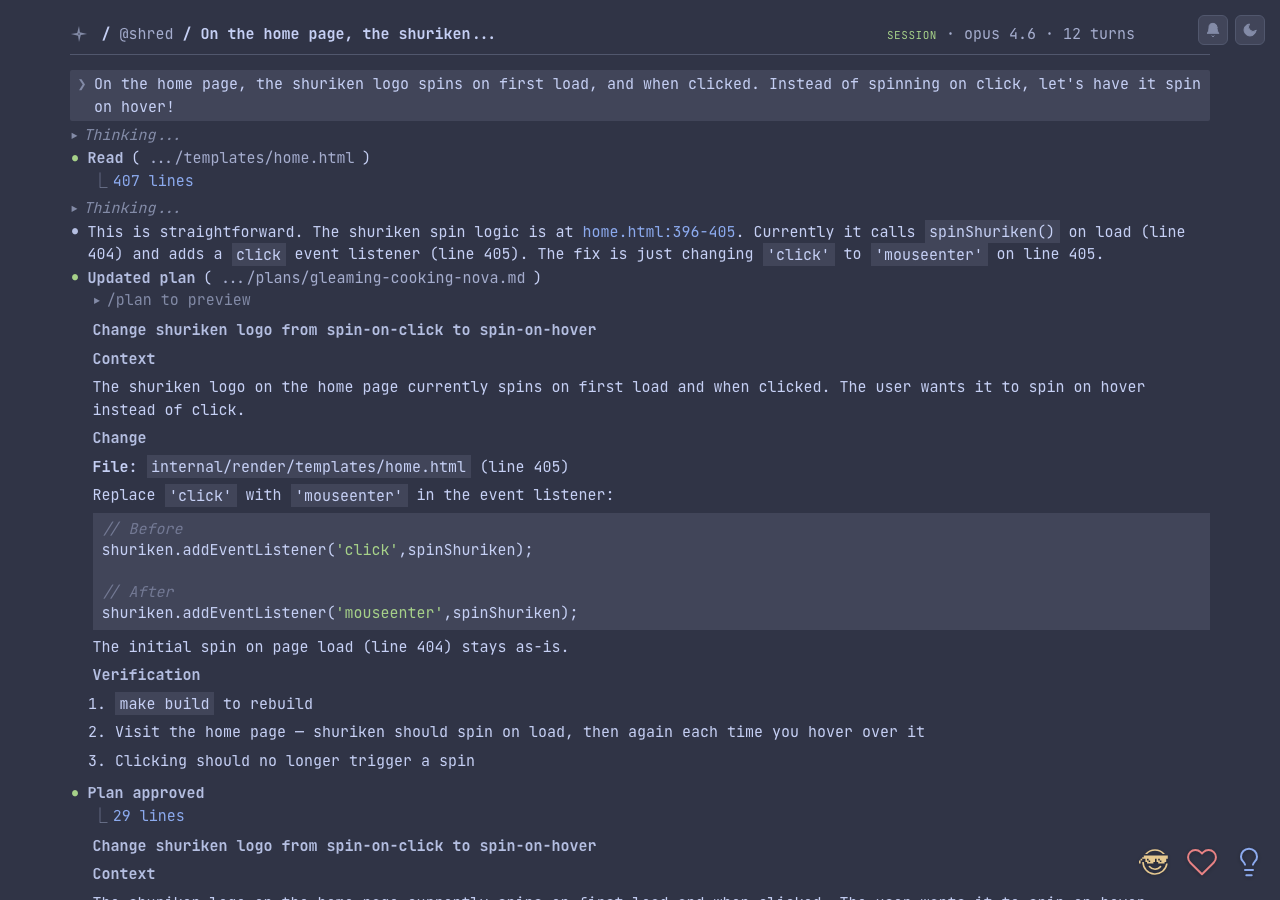
rn session push --title "fixing the auth bug" --expires 7d --public
Add a title, set it to expire in 7 days, and make it publicly visible.
See an example session at rockstar.ninja/s/E-NnuNs0jw-4.
Push a plan
rn plan push my-plan
Push a plan by name (partial match from ~/.claude/plans/). Plans are versioned automatically — pushing the same plan again creates a new version if the content changed.
See an example plan at rockstar.ninja/p/sC_UXIr19eyp.
Push a skill
rn skill push my-skill
Push a skill from .claude/skills/my-skill/. Skills are versioned and shareable — others can pull your public skills with rn skill pull @you/my-skill.
Projects
Sessions are automatically grouped into projects based on your local project directory. When you push a session from ~/Projects/my-app/, a project named my-app is created and the session is linked to it. Projects get their own page at rockstar.ninja/proj/{nanoid} with a timeline of sessions and pinned plans.
To manage projects manually:
rn project list
rn project add-plan my-project my-plan
rn project open my-project
What's next
- Dashboard — your stats, projects, and search across all content
- Skills — shareable Claude Code custom slash commands
- CLI Reference — every command and flag
- Privacy & Visibility — how public, secret, private, and expiration work
- Configuration — customize defaults and redaction rules
- Authentication — how the keypair auth system works